Get the app
Get BINMAN
on your phone.
BINMAN is coming soon to the App Store and Google Play. Scan the QR code or use the store buttons, and they will take you to the app as soon as it is published.

Coming soon to the App Store and Google Play
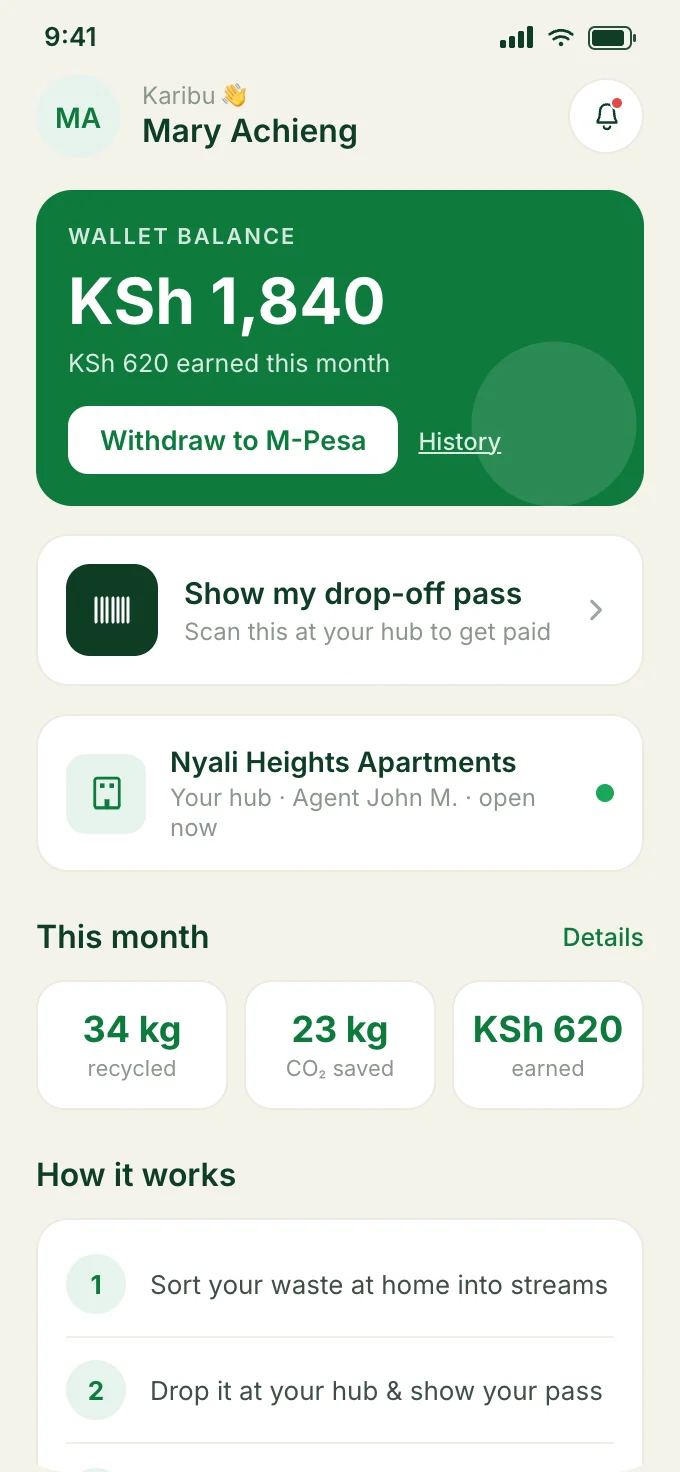
Three steps to start.
From scanning the code to your first drop-off.
- 1
Scan the code or tap your store
Point your phone camera at the QR code, or tap the App Store or Google Play button on your phone.
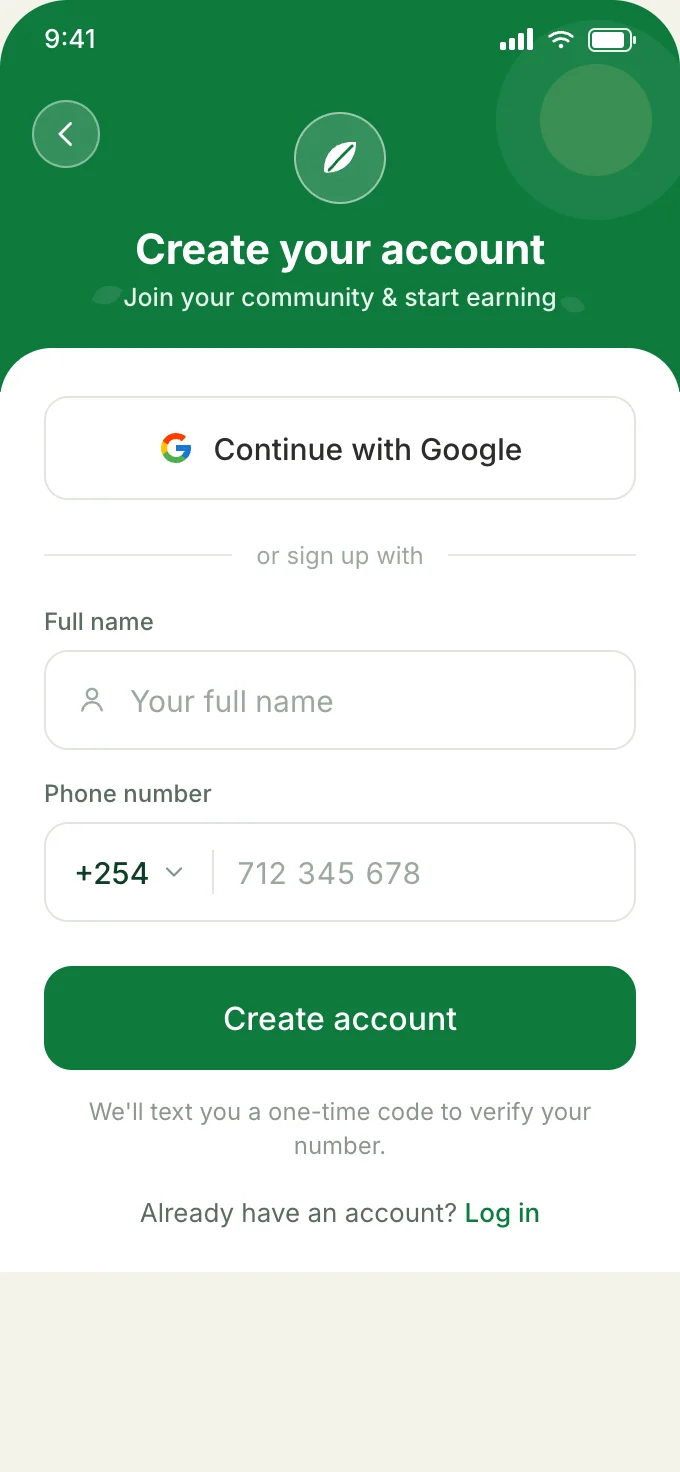 2
2Create your account
Sign up with Google or your mobile number, then confirm the one-time code sent to your phone.
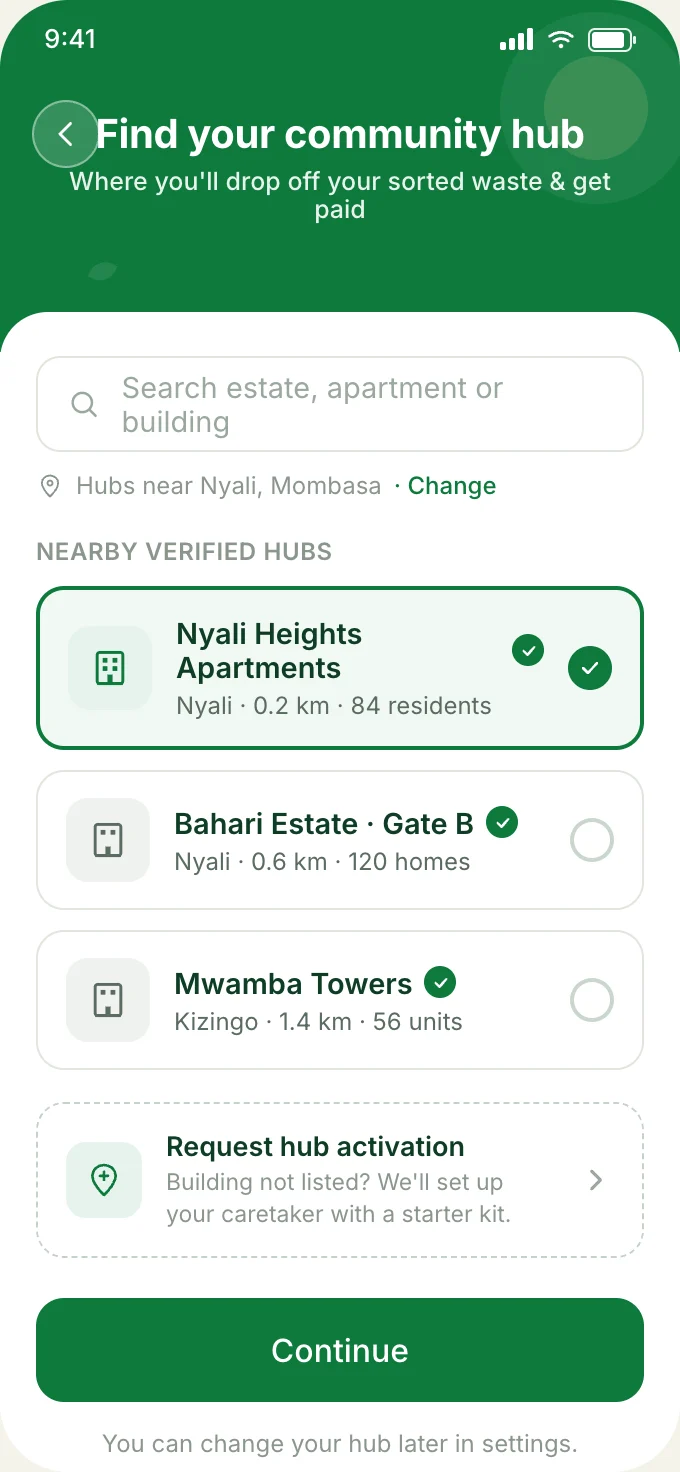 3
3Choose your community hub
Pick the hub at your building or estate. You can then start separating food waste and dropping it off.
Screens from the BINMAN prototype, with sample data.
Questions about
the app.
More answers are on the FAQs page.
- When can I download BINMAN?
- BINMAN is coming soon to the App Store and Google Play. The buttons and QR code on this page will open the store listings as soon as the app is published.
- Which phones does it work on?
- BINMAN is being released for iPhone through the App Store and for Android through Google Play.
- Does it cost anything?
- BINMAN does not charge households to take part.
- Can I try it before it launches?
- Yes. The prototype on this site runs in your browser with sample data, so you can explore every screen.
Ready when
the app is.
Save this page or the QR code. It will always point to the right place to download BINMAN.
Coming soon to the App Store and Google Play
BINMAN is a product of EarthPulse.